


Collaboration & rooms Premium
With Premium, several people count live on the same counter. Every click flows together instantly – ideal for events, stock-taking and teams.
💡
Rooms are a Premium feature. One Premium subscription per organiser is enough: participants can join as Free or Lifetime users.
See Premium →Create a room
- Create the room Add a new room and give it a name.
- Choose a counter Decide which counter is counted together in the room.
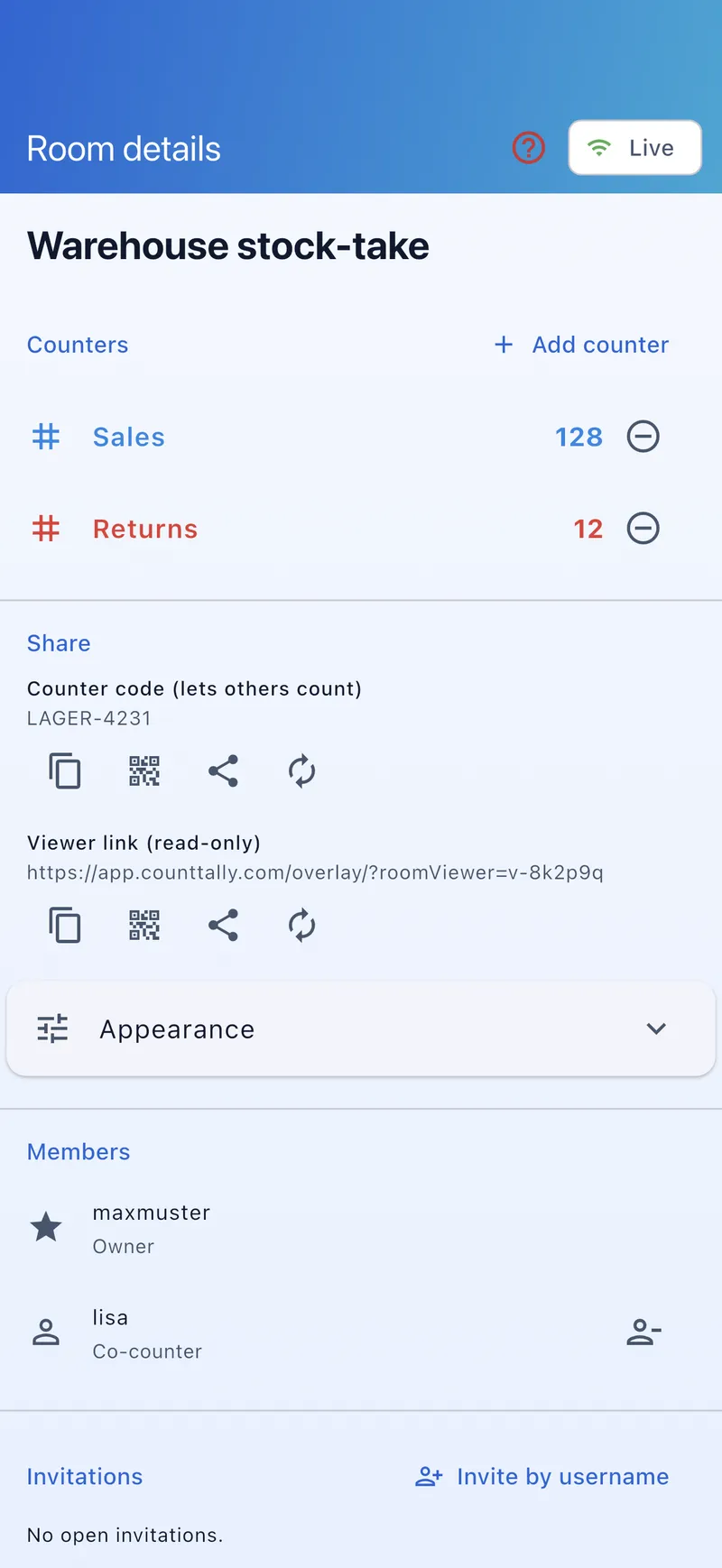
- Share Share the join code or the read-only link with your team.
Invite participants
- Join code: participants enter the code in the app and join the room.
- QR code: instead of typing the code, participants scan the displayed QR code – join with a single scan.
- Read-only link: a view-only link so, for example, the control desk can follow the count live in the browser.
Roles
- Host – creates the room, can remove participants and manage the room.
- Participant – counts actively; every click flows into the shared total.
- Viewer – only sees the count (via the read-only link), doesn’t count.
Counting together
- Real time: all changes appear instantly on every device (live connection).
- Audit: a log shows who counted when.
- Connection status: an indicator reports Live / Connecting / Offline.
Use cases
- Admission control at events: several door staff at different entrances count into the same total; a formula counter shows the current occupancy.
- Team stock-taking: several staff record stock in parallel on shared counters and groups.
- Sports scoring: several referees or helpers maintain the same score.
More scenarios on the collaboration feature page.
Leave or end a room
- Leave: close the room view – you can rejoin any time with the code or link.
- Remove participants: the host can remove individual participants from the room.
⚖️
CountTally is a counting aid, not a certified measurement system. For legally required headcounts, the user is responsible – see the Terms of Use.